The challenge
ROLE Project Manager | UX Designer
DURATION 2 Weeks
TOOLS Google Forms, Sketch 3, Invision, Marvel
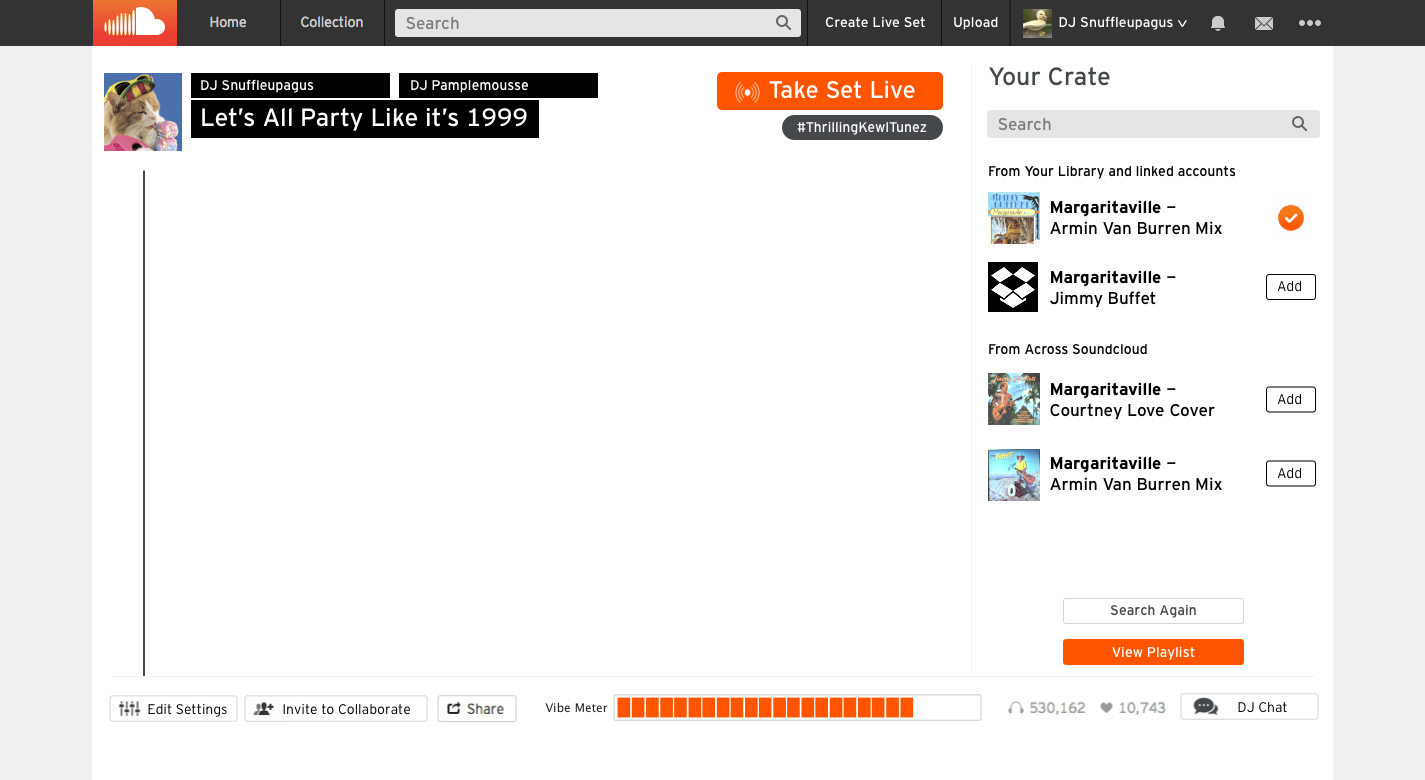
SoundCloud provides a place for musicians to record, upload, promote and share their sounds for listeners to access around the world. Although users are able to curate their own playlists from songs they select, SoundCloud would like to create a feature that allows users to collaborate online, DJing their select tracks with other users in real time.
FEATURES
- DJs should be able to select tracks and take turns playing songs
- DJs should be able to capture and share their DJ sets
- Listeners should be able to join rooms and listen to live DJ sets
my role
I served as the project manager, led the persona creation, ideation and conceptualization stages, created the wireframes and invision prototype for the iPad version of the feature, and synthesized all of the research into a cohesive report. The competitive research, user interviews, usability tests, and deliverables were a collaborative effort.
deliverables
- Project Plan & Executive Summary
- Competitor Flows, Heuristic Analysis, and Feature Comparison list
- User Survery & Interview Question
- User Personas
- Userflows
- Sitemapp Update
- Clickable Prototype
- Usability Test Insights
how we got there
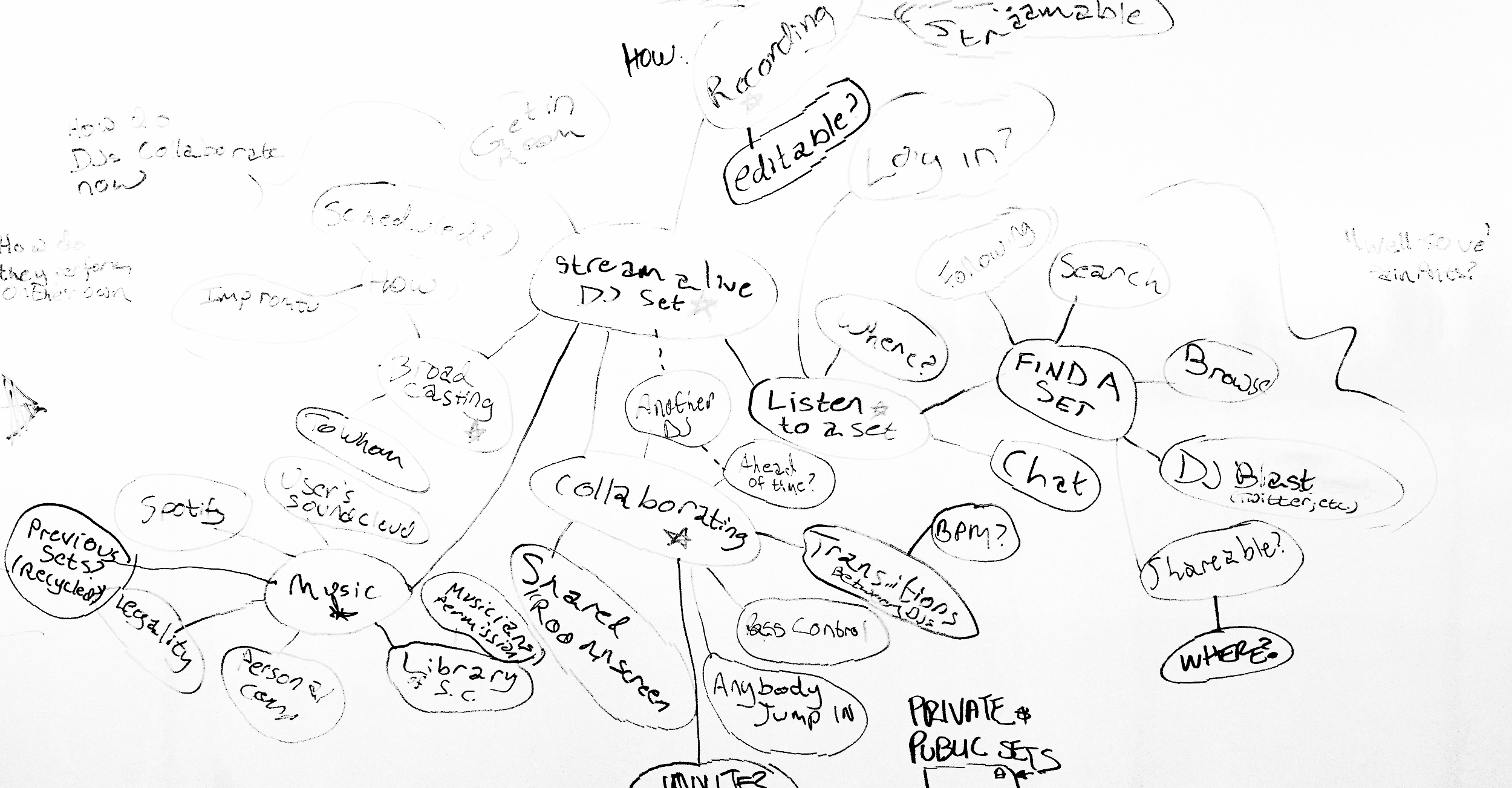
During early brainstorming sessions for this project, we noticed that our biggest challenge would be understanding how DJs work with software in real-time so that we could mimic this experience on Sound Cloud. We knew that experienced DJs would have high expectations for the platform, but it still needed to be usable by the novice who is just curious about the new feature.
There were 5 facets to streaming a set that we needed to understand:
How do DJs collaborate? Scheduled? Impromptu? Does anyone just jump in? How do the transitions between songs work?
How do DJs find music to play during sets? Do they need permission to play the songs? Can they have access to the SC library? Do they recycle previous sets? Are there legal issues involved in this?
How will DJs record live sets? Will they be editable? Streamable?
How do users find sets? Word of mouth? Twitter? Browsing?
Where do users listen to live sets? Can they chat? Do they need to log in?
getting to know our users
" Which activities have you engaged in in the last year? "
Using the 5 facets, we conducted a screener survey using Google Forms to flesh out user needs and broad user types. We identified and got in contact with several key user types for more in-depth interviews. To determine more specific behaviors we interviewed 10 respondents to understand how they collaborated, discovered, and shared.
We learned that:
- People who don’t consider themselves sharers actually do share quite often - just not in the sense of pressing a share button, but through word of mouth.
- Sharers only share special music to specific people.
- Listeners are overwhelmed by the amount of music choices.
- When collaborating, DJs select music on the fly based on the mood of the room.
- It's important for DJs to be ensured that listeners are enjoying the “vibe” without receive song requests.
creating personas
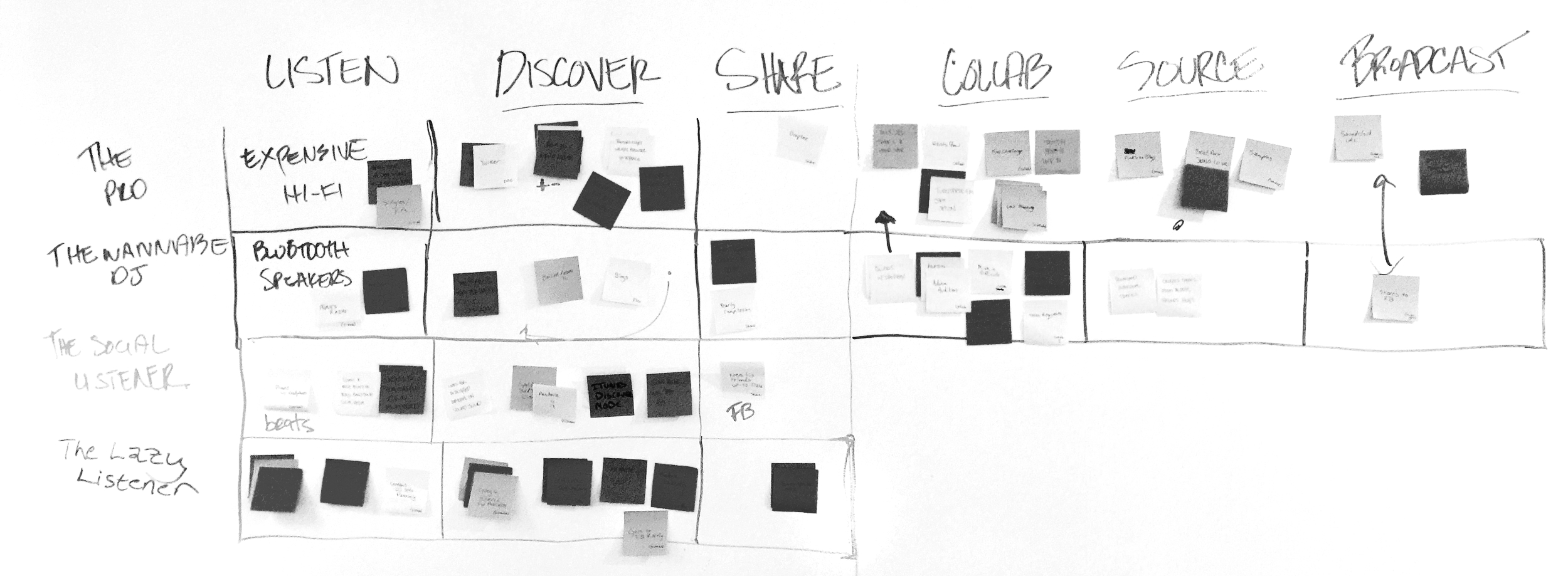
A technique I use to create personas is to break out the key points of a users journey into a rough timeline. I take the key points from user interviews and write them on post-its. For this project the key points were:
- Where/When/How users listen to music
- How users discover new music
- How/To whom/Where users share music
- How do DJs collaborate
- Where do DJs find the music that they play
- How/Where do DJs communicate to their listeners that they will be playing
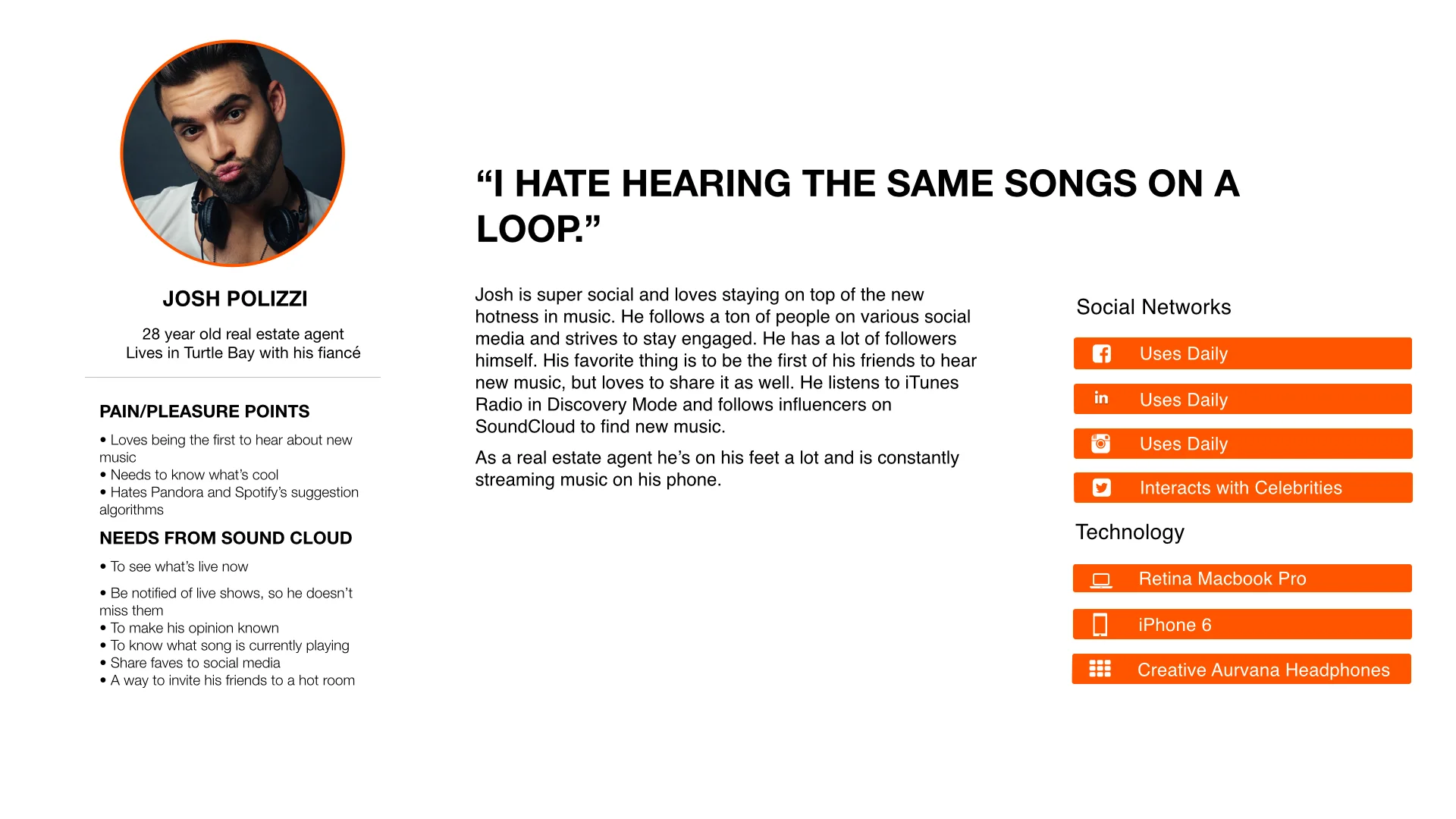
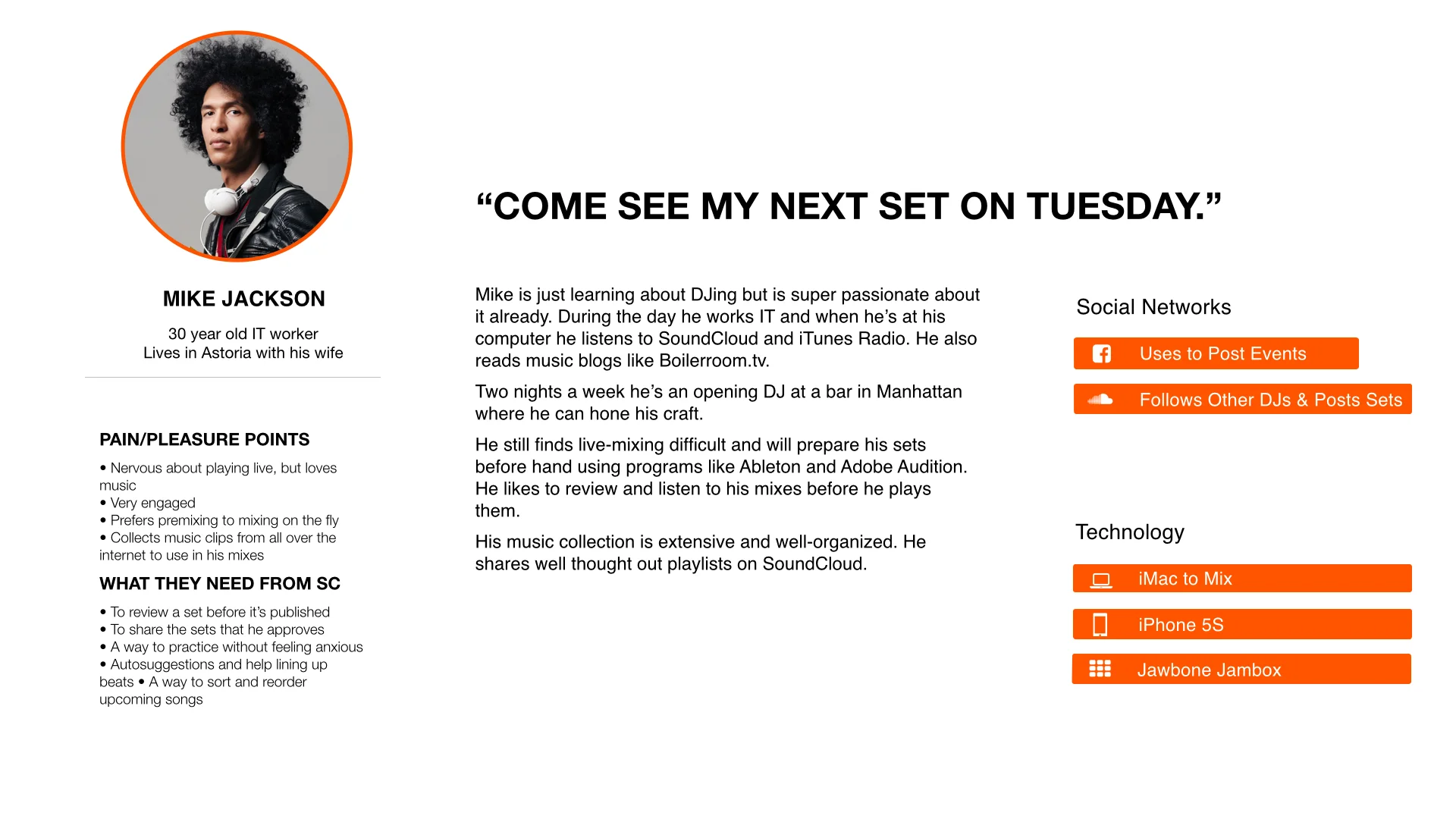
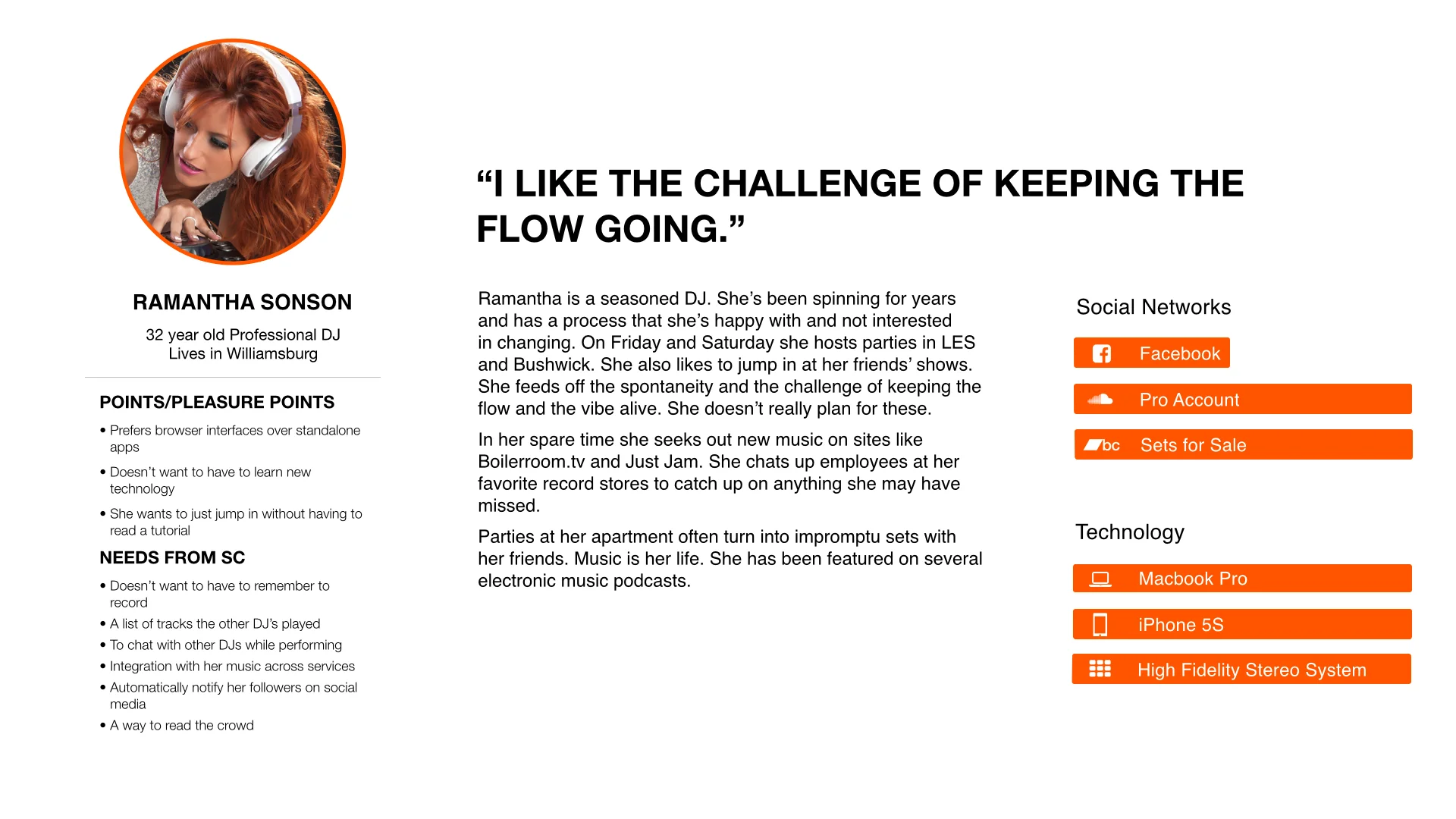
Since each interviewee is assigned a different color post-it, layering them by repetition of key points makes it very easy to identify the common behaviors and preferences of different types of users. Placing them together in this way allowed four distinct and realistic personas to emerge naturally.
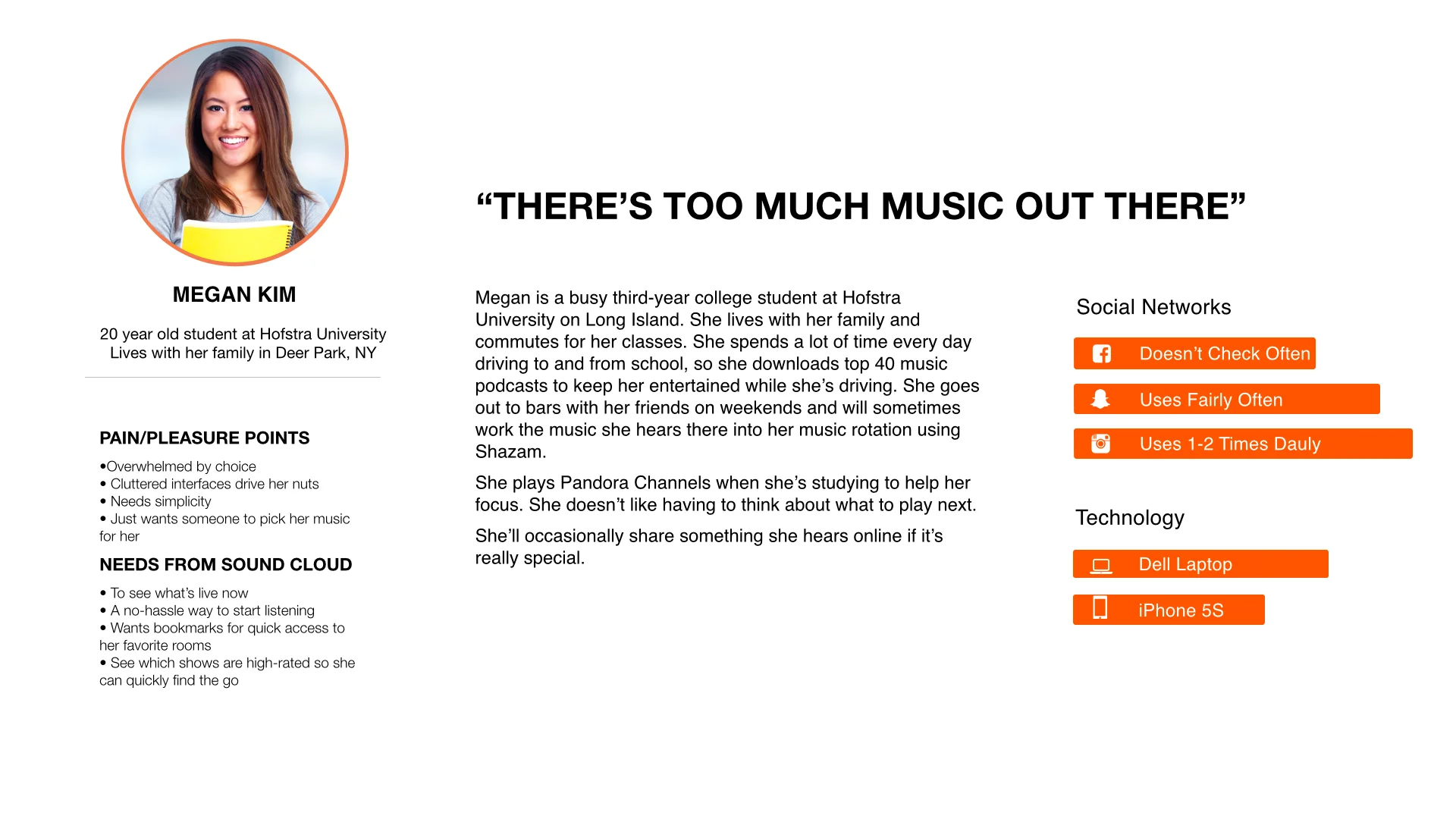
personas (click to zoom)
feature ideation
"YES,AND" IDEAS
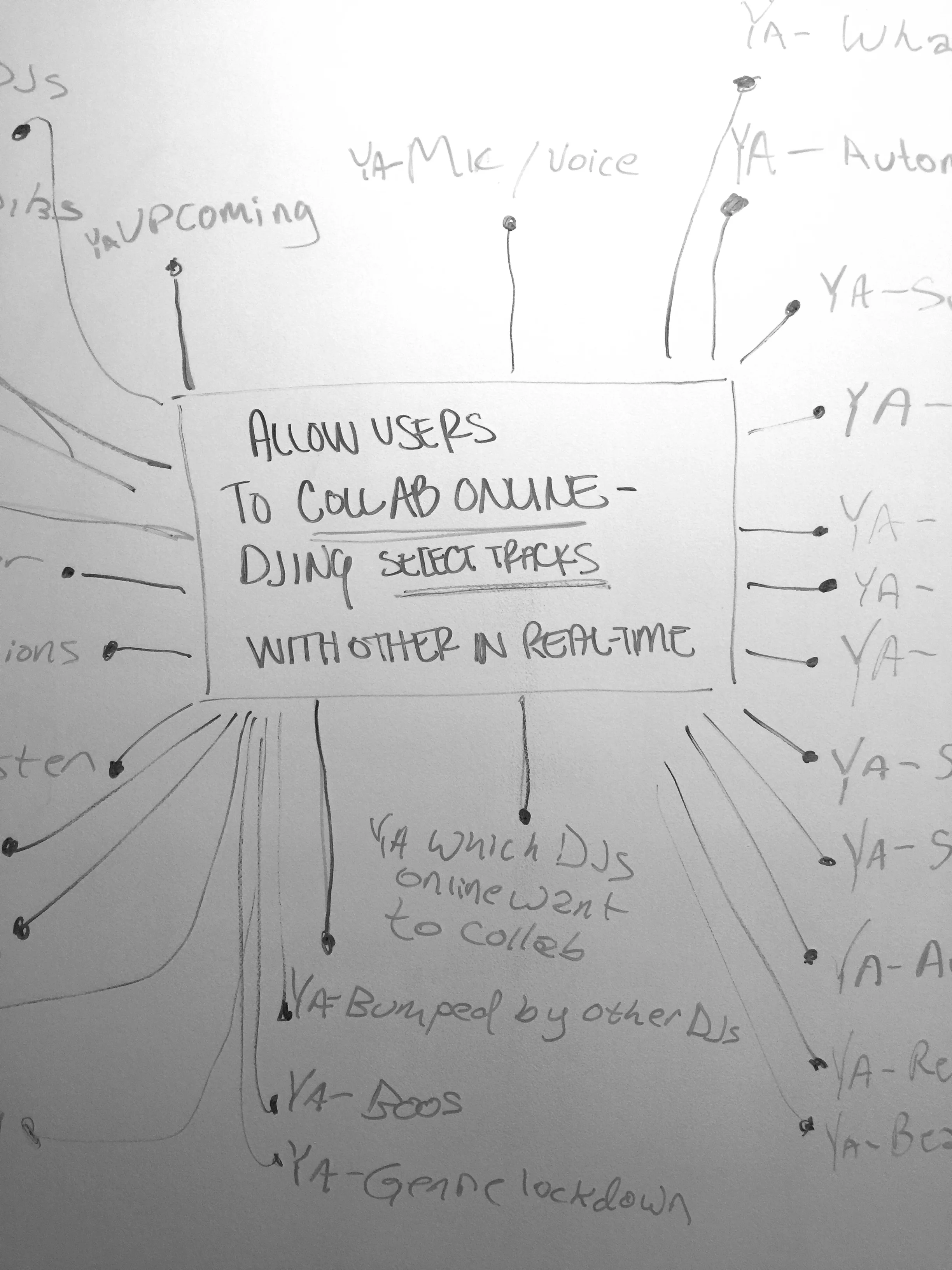
Looking back to our brief, we took to the whiteboard and explored every possible feature we could implement into the platform while catering to the needs of our personas. This "Yes, And" approach to ideation helped surface great ideas that we ended up implementing. We came away from this exercise with a huge list of potential solutions.
AFFINITY MAPPING
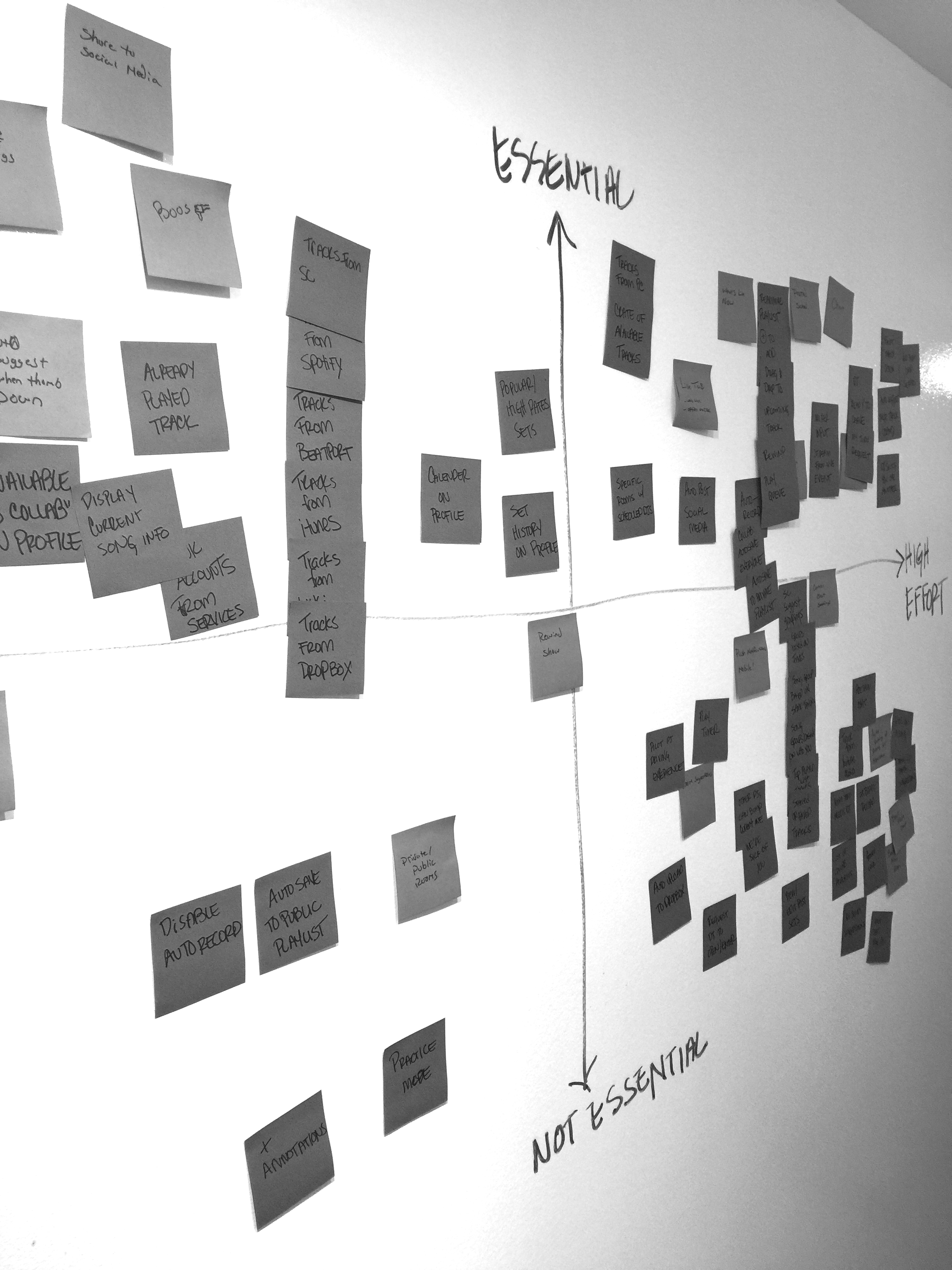
We sorted our ideas on an affinity map according to necessity and implementation difficulty. This allowed us to prioritize features and narrow down the list. We also grouped features that were solving similar problems together. For example, voice chat, text chat, and claiming “dibs” on a song all spoke to a need for clear communication between collaborators. Text chat, being the simplest way to solve that problem, became the feature that we went with.
SITE IMPACT SORT
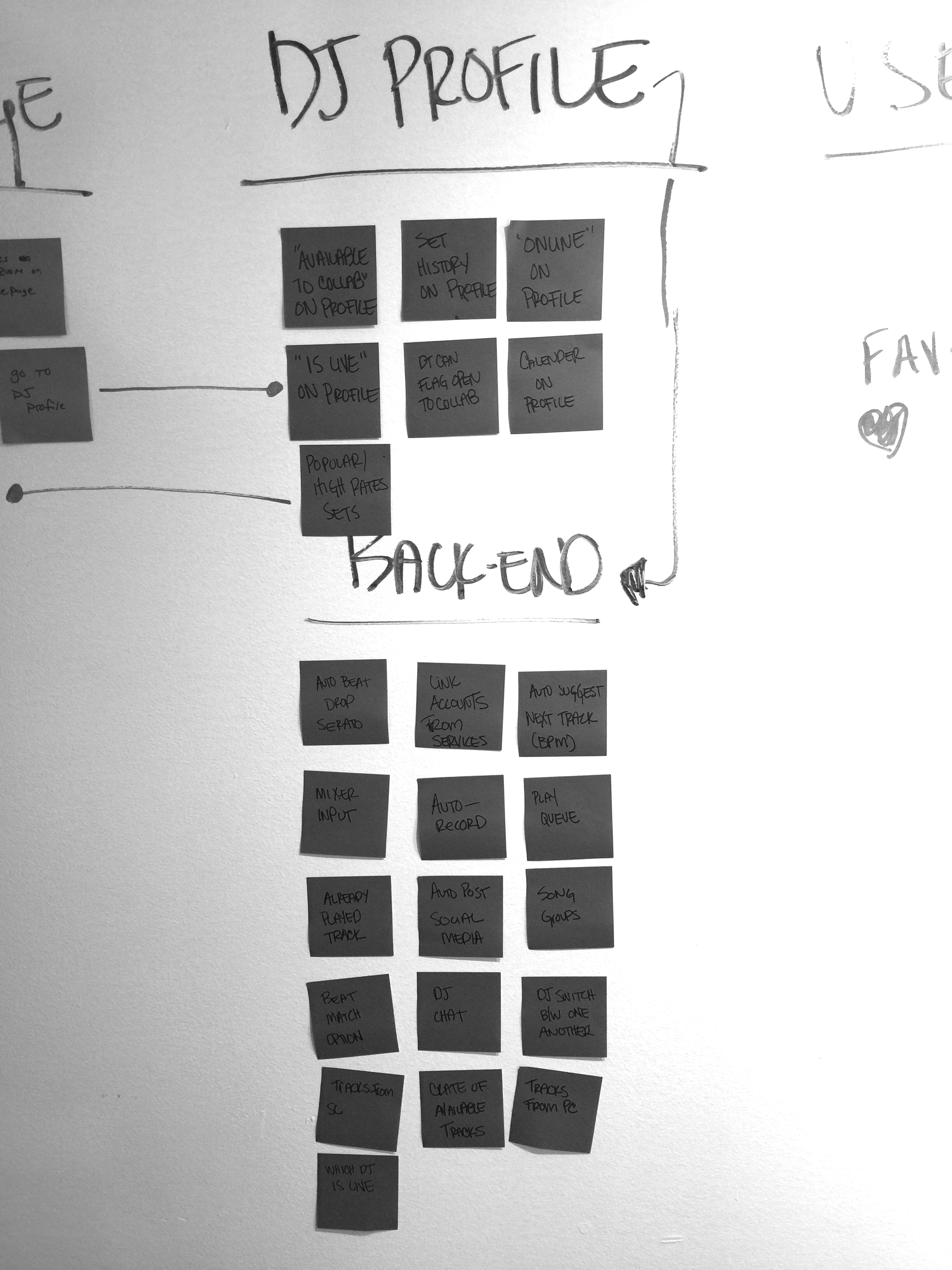
By sorting our remaining features into where they would live on the site, we were able to narrow the scope and prune extraneous pieces further. If a page of the existing Sound Cloud site would only require one or two small changes that weren’t key to the experience, we decided it was better not to touch that page at all.
sketching
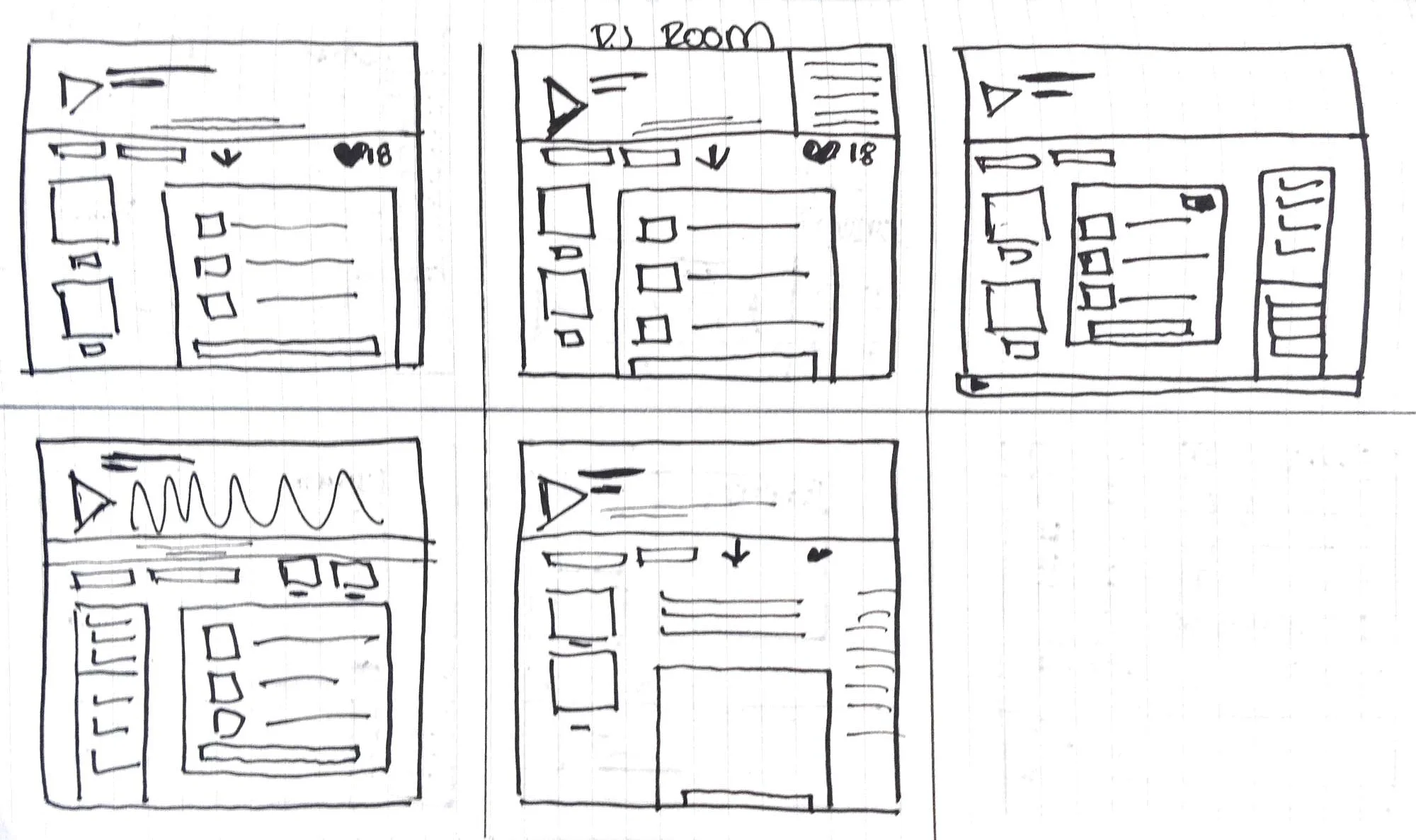
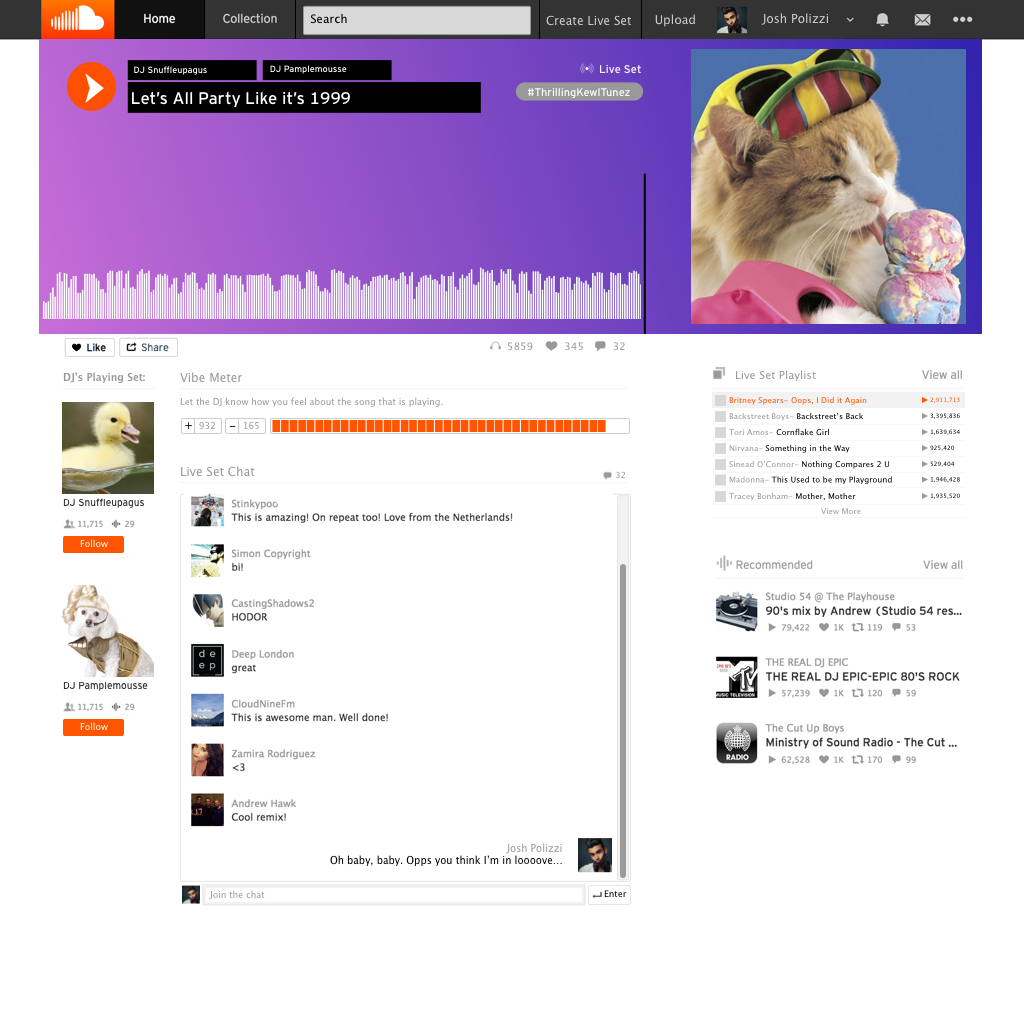
Live Set Room: Exploring how DJs would be able to receive feedback without requests and how users would be able to easily identify and share a live track.
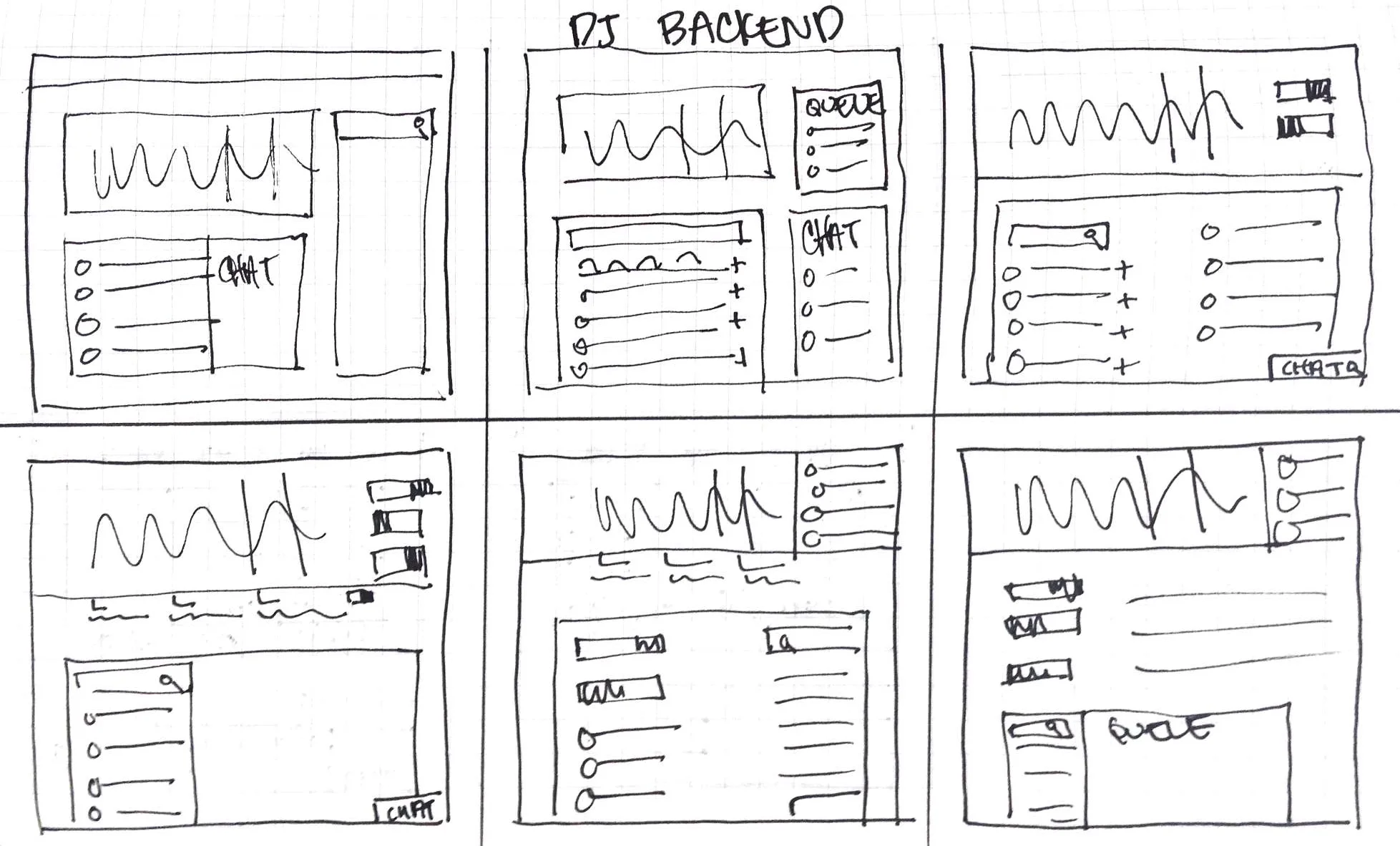
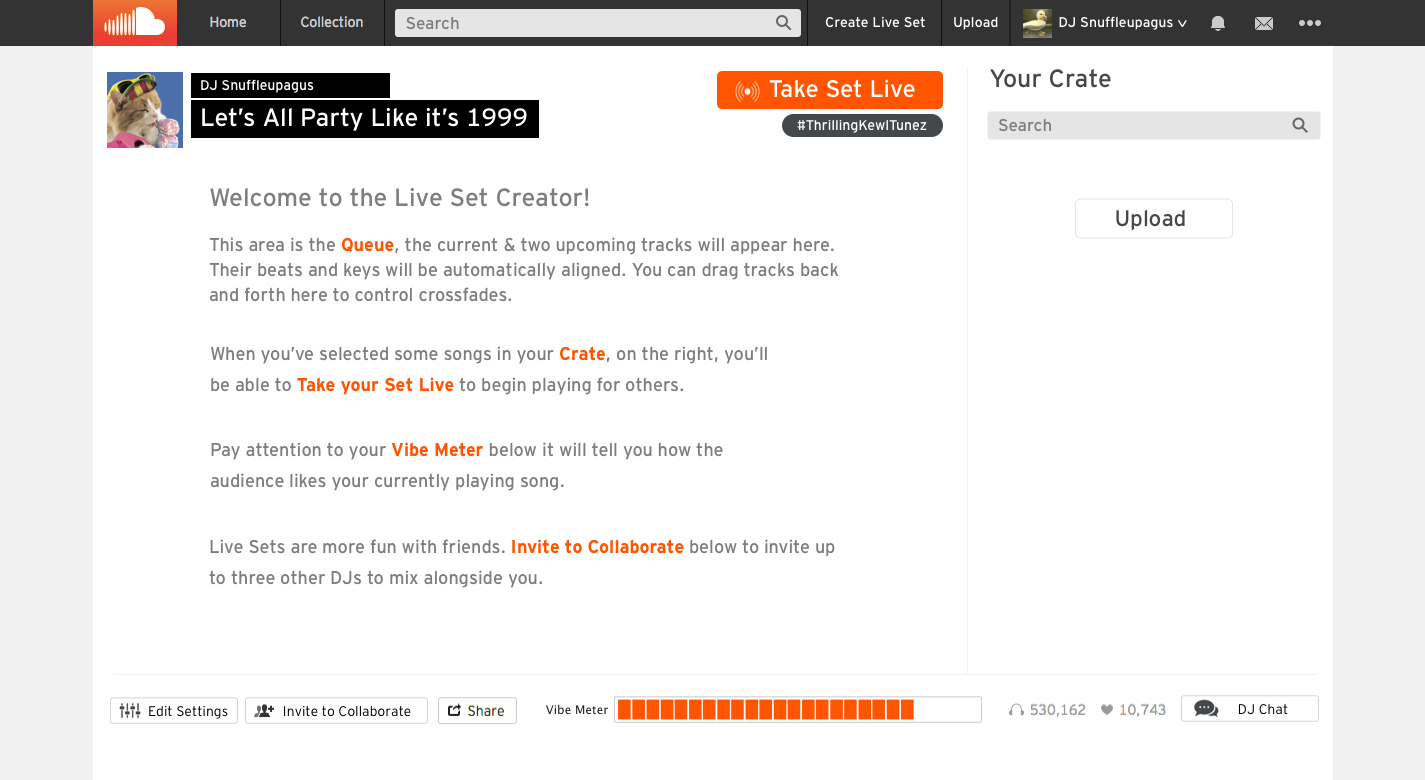
DJ Backend: Exploring how the song queue, DJ functionality (keeping it accessible to all levels of user), search, and communication would work
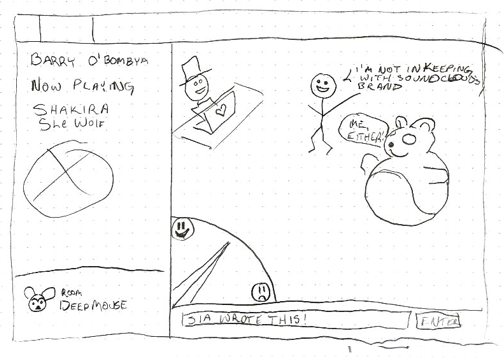
Different Solutions to the Problem: We tried the turntable.fm mascot approach, but ultimately decided it did not fit with the Sound Cloud brand.
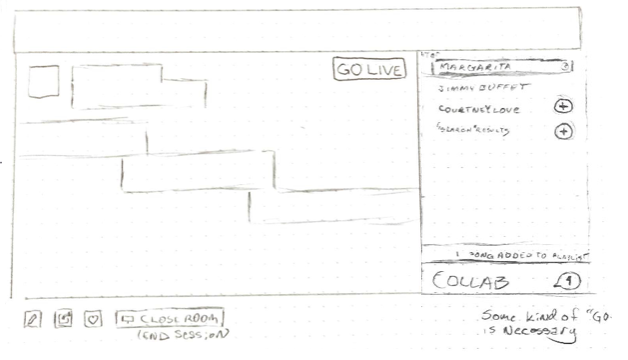
A 3-panel widget didn't work because it didn't fit above the fold. It was important to us that it did because none of our competitors required vertical scrolling.
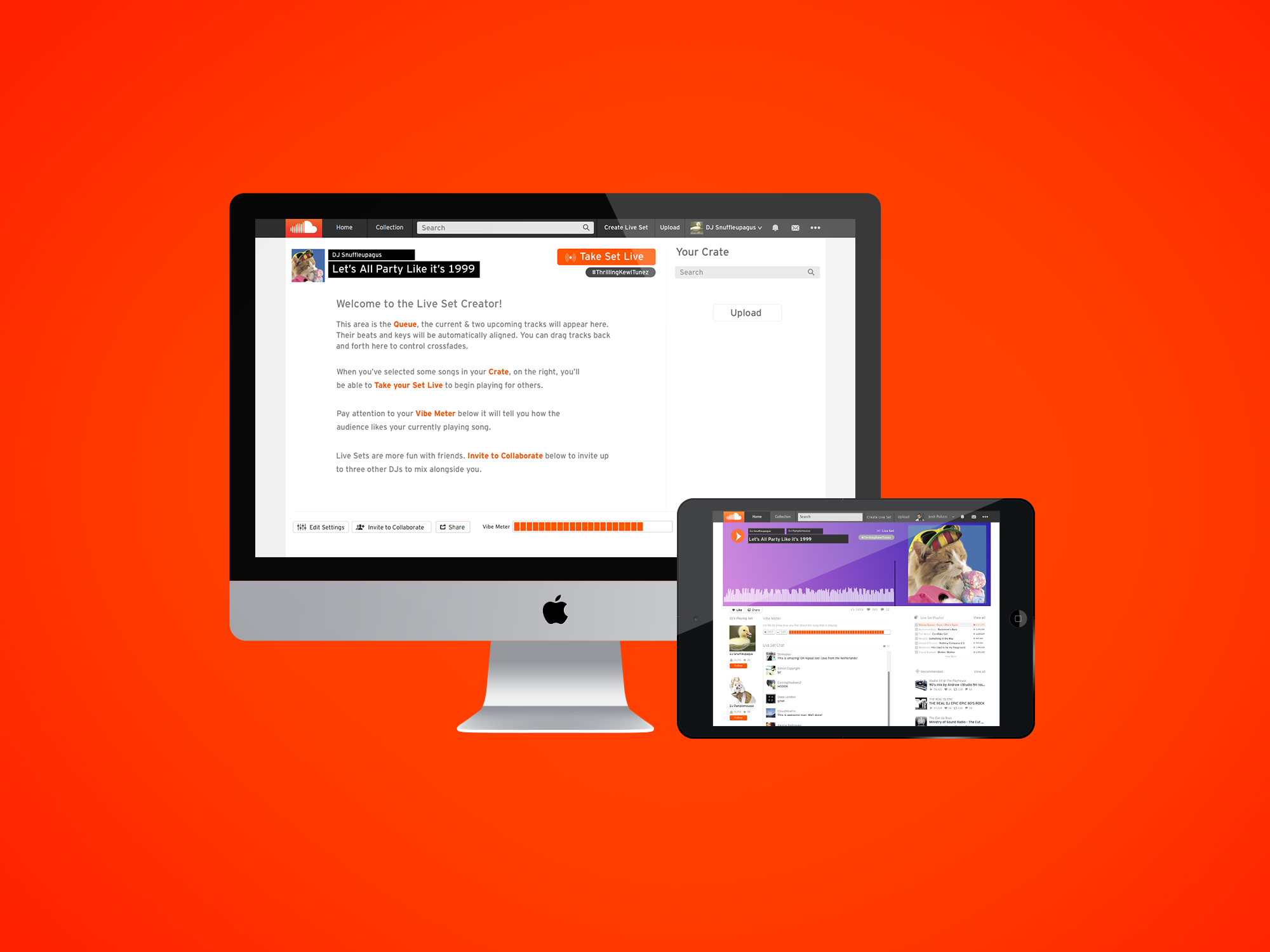
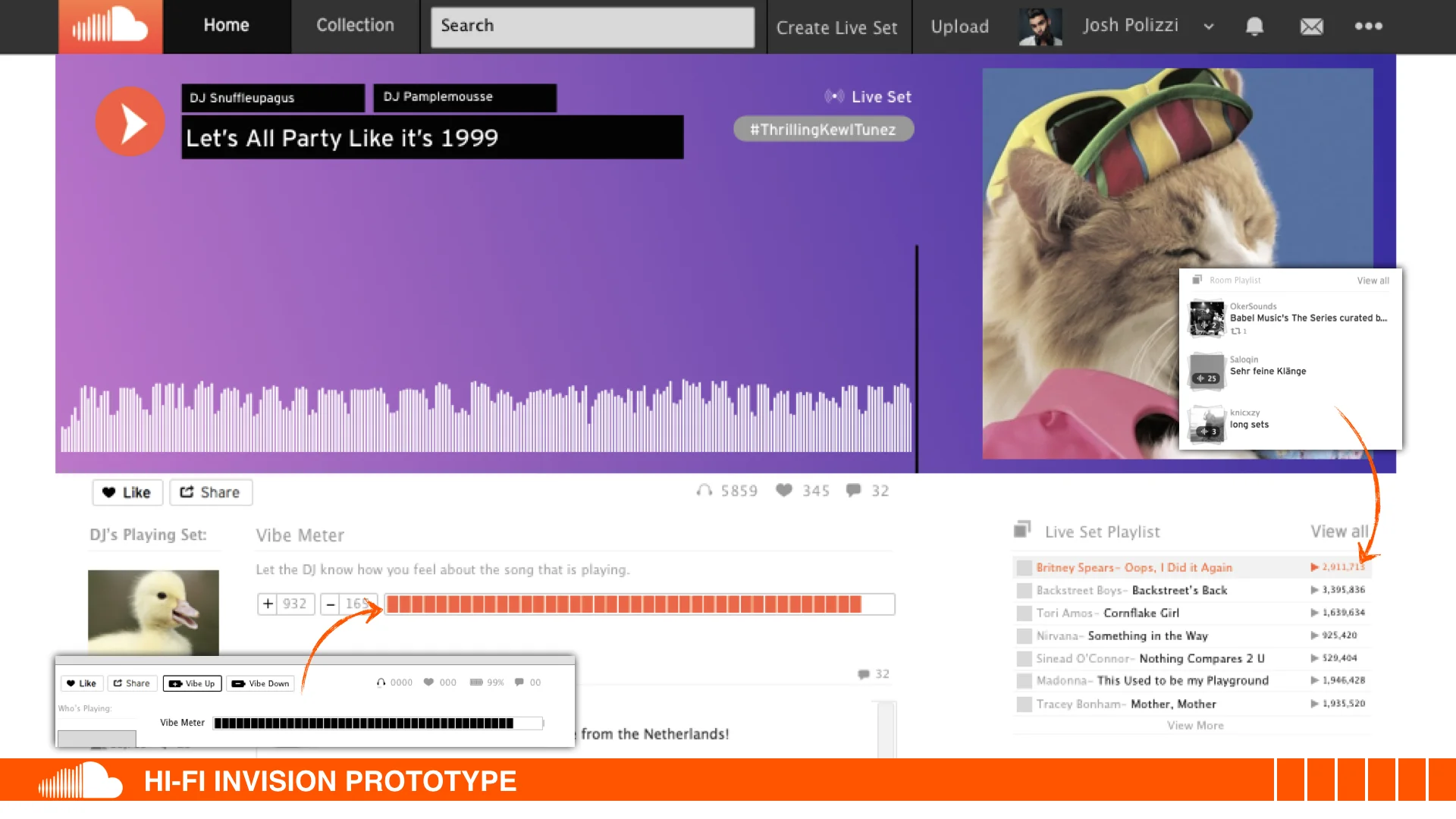
My process involved sketching and white‐boarding concepts and flows with my UX partner and then translating these directly into medium-fidelity wireframes in Sketch 3. It seemed logical to model this new Sound Cloud feature after what customers were already familiar with. The easiest way for users to communicate to the DJs on the vibe of the room was to design a "Vibe Meter" feature where users can up/down vote a song while it was playing.
user testing
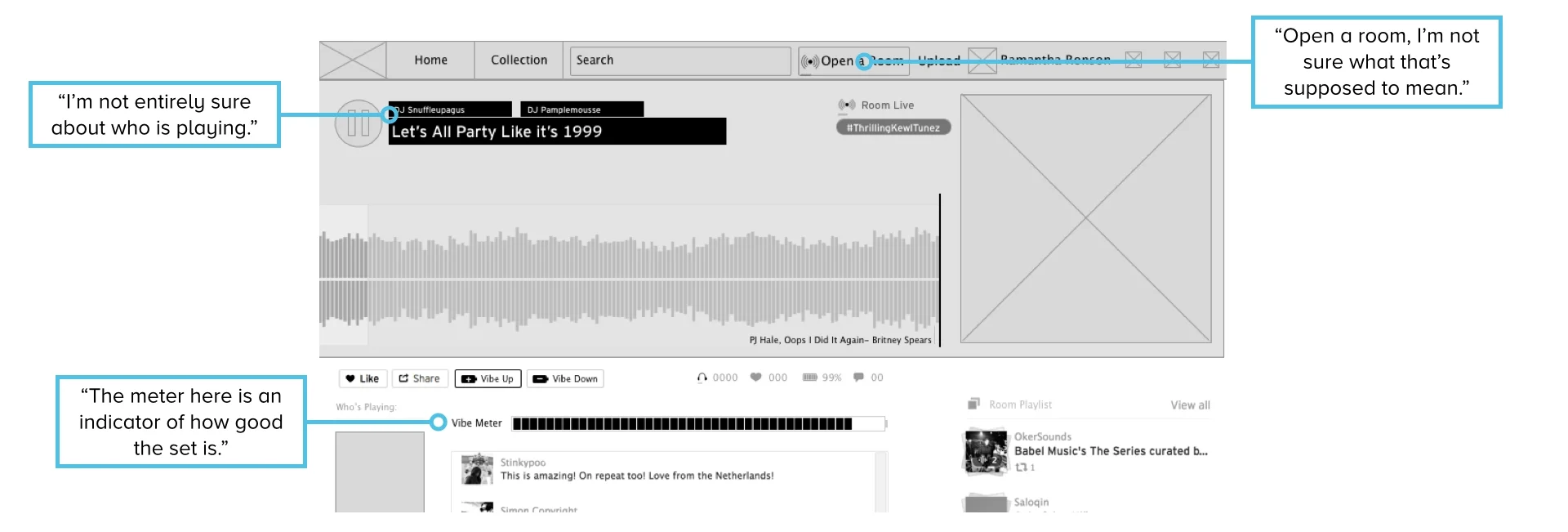
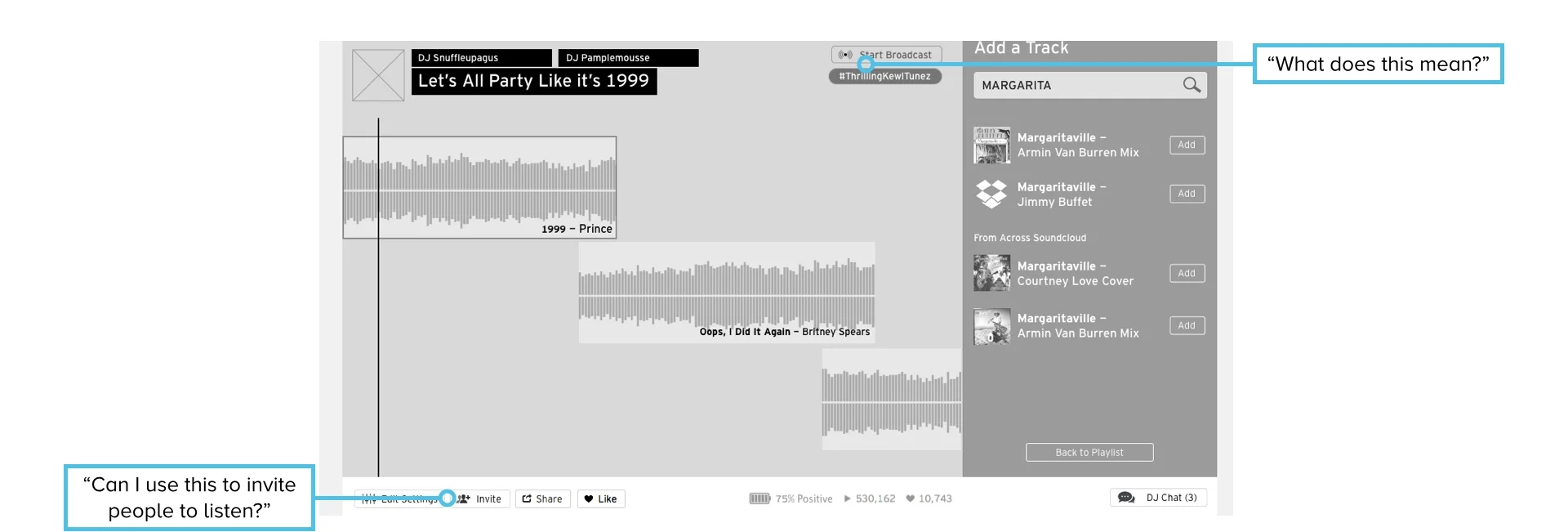
Round one - testing this solution in Invision with 5 participants revealed that:
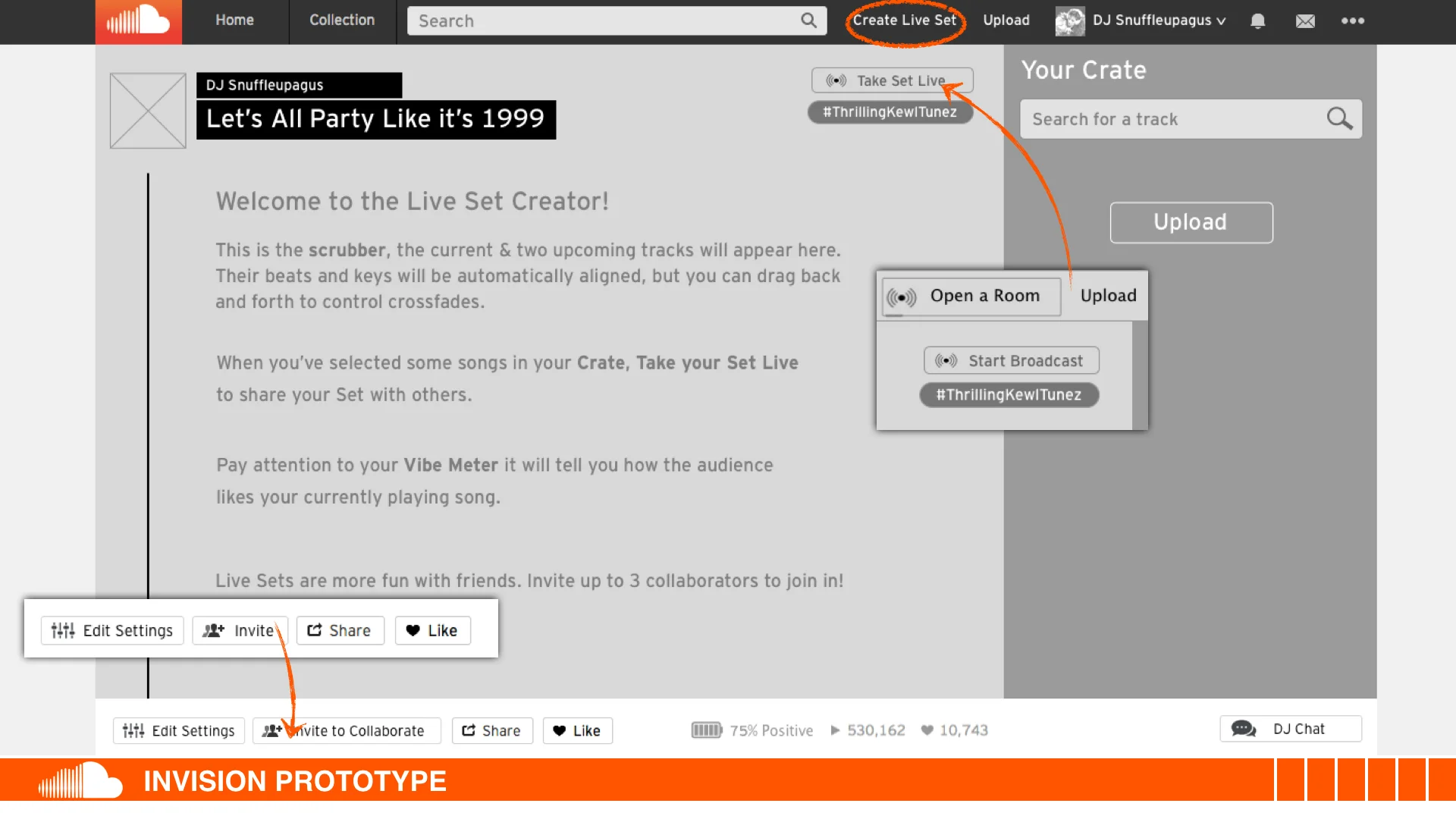
- Users did not understand some of the labels and copy we had chosen such as the "Open a Room" button.
- DJs thought the "Invite" button in the backend would invite people to listen to the set.
- Users immediately understood the functionality of the vibe meter.
- Users were confused by the conflicting copy due to the medium fidelity of the wireframes.
This validated our conceptual design goals, but we faced another obstacle in writing copy that would clearly communicate the purpose of all of the new buttons we were adding the existing interface.
iterations & refinement
We went through over 7 iterations (that are not all mentioned here for the sake of brevity) before feeling satisfied with our protoype.
removing redundant elements
Users were confused by the "Vibe Meter" being represented in 3 different forms on the same page so we decided to remove the battery icon from the Like-Count section. We also moved the Vibe Up and Vibe Down buttons closer to the meter so that users could see immediate feedback when hitting the buttons.
IT'S ALL ABOUT THE COPY
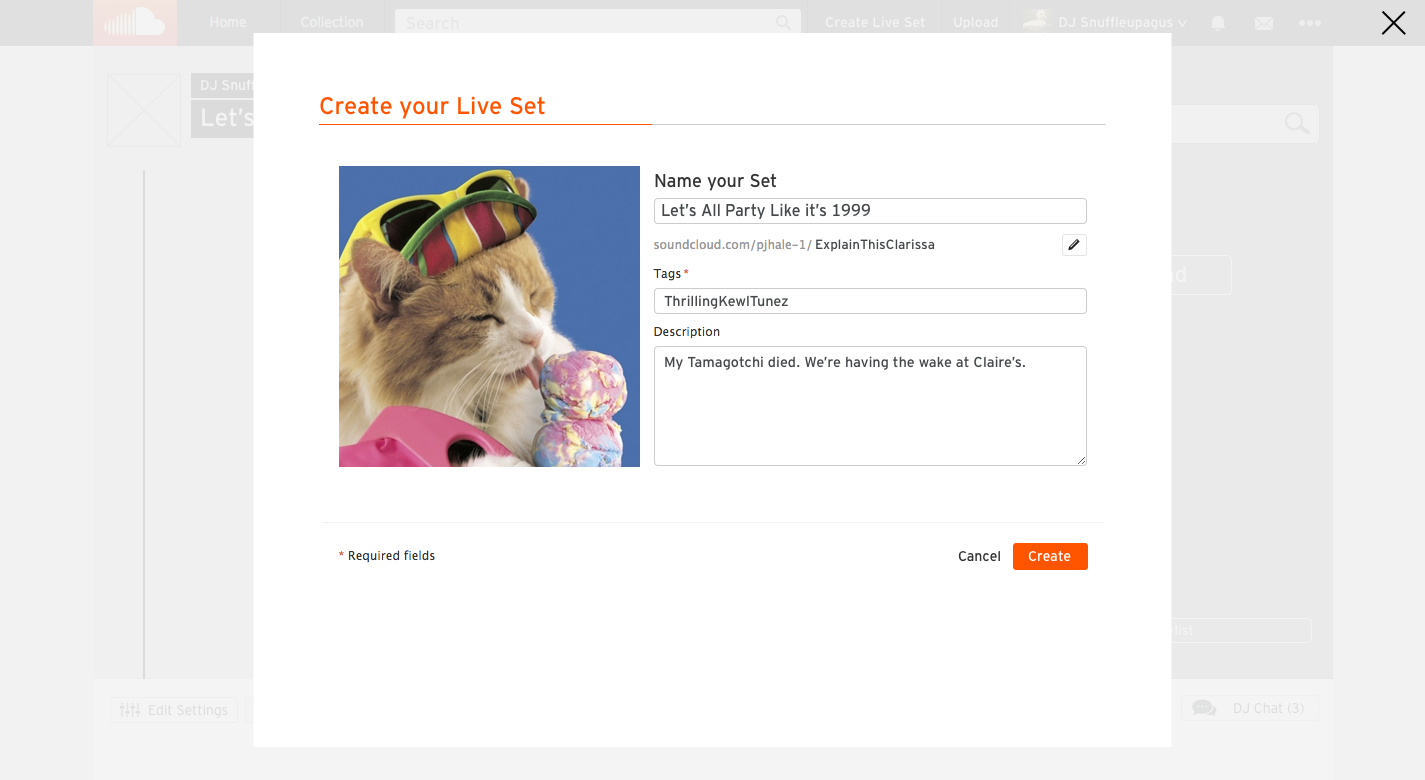
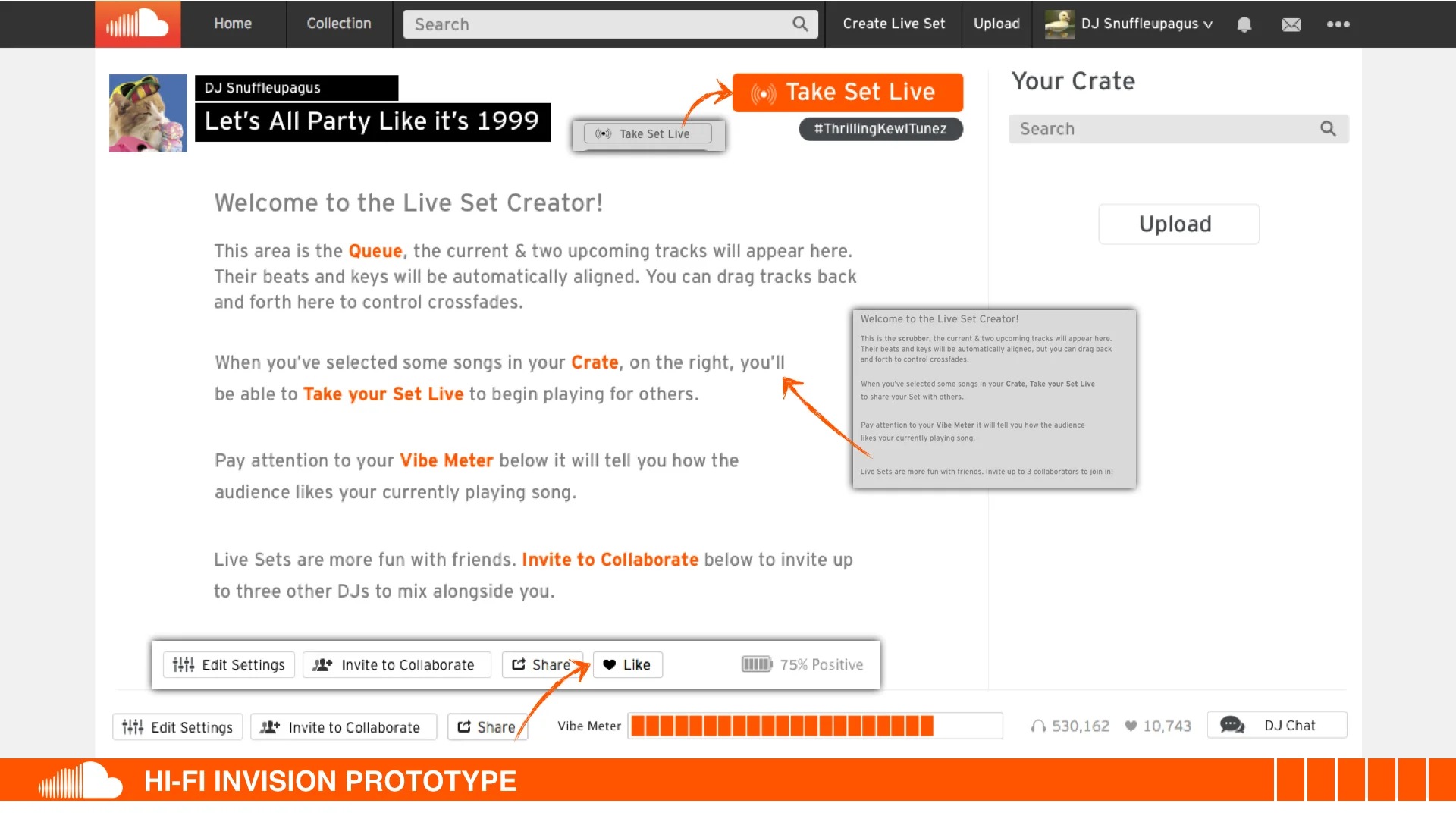
The wording of the of the "Open a Room" button to "Create a Live Set" was changed. The size and prominence of key UI elements was also changed in order to increase the clarity of the button's functionality. We also iterated on the on-boarding copy for the DJ Backend numerous times for first-time users to get a better understanding of how to use the platform.
business goals
(click to zoom)
you'll need a pro account for that
In keeping with Sound Cloud's business model, we maintained that users can upload up to 180 minutes of music from the DJ backend before having to upgrade to a Pro account.
If a more advanced DJ wants unlock the BeatMatch and Autodrop functionality or invite more than 2 collaborators, they will need to upgrade their account. We mirrored this after the road-block they have in place for Quite Mode permissions.
What i learned
Some things just don't come to life until they are translated into wireframes-
Especially when designing within existing UI and implementing features that need to fit like a glove. We ran into the issue of having to figure out how to make the interface fit above the fold so that DJs wouldn't have to scroll vertically while they were using the backend. It was a waste of time to try to figure this out in sketches and it wasn't until we started wireframing that it became clear how and where it would fit.
Always give users a way out-
We ran into some problems with the DJ backend because users couldn't figure out how to get back to their play queue after adding a song. Luckily, we had already planned for this to happen and just needed to rearranged the button's position and labeling to make it clearer.
Copy is everything-
It's surprising how just the simple change of a single word on a button can change a user's perspective of what it does.